


jscolor is a cross-browser, framework-agnostic, mobile-friendly, and highly-customizable color picker built using plain JavaScript.
More Features:
- Supports HEXa and RGBa.
- Customizable color palette.
- Lots of configurations.
- Licensed under the GNU GPL v3.
How to use it:
1. Download and import the jscolor.js.
<script src="jscolor.js"></script>
2. Attach the color picker to an input field or a button
<!-- Hex -->
<input value="3399FF" data-jscolor="{}">
<!-- With Alpha -->
<input value="3399FF80" data-jscolor="{}">
<!-- RGBa -->
<button data-jscolor="{value:'rgba(51,153,255,0.5)'}">
  Select color
</button>
3. Available Color Picker options.
jscolor.presets.default: {
  width: 181,
  height: 101,
  mode: 'HSV', // 'HSV' | 'HVS' | 'HS' | 'HV'
  alphaChannel: 'auto', // 'auto' | true | false
  position: 'bottom', // 'left' | 'right' | 'top' | 'bottom'
  smartPosition: true,
  showOnClick: true,
  hideOnLeave: true,
  palette: [], // colors to be displayed in the palette
  paletteCols: 10, // number of columns in the palette
  paletteSetsAlpha: 'auto', // 'auto' | true | false
  paletteHeight: 16,
  paletteSpacing: 4,
  hideOnPaletteClick: false,
  sliderSize: 16,
  crossSize: 8,
  closeButton: false,
  closeText: 'Close',
  buttonColor: 'rgba(0,0,0,1)',
  buttonHeight: 18,
  padding: 12,
  backgroundColor: 'rgba(255,255,255,1)',
  borderWidth: 1,
  borderColor: 'rgba(187,187,187,1)',
  borderRadius: 8,
  controlBorderWidth: 1,
  controlBorderColor: 'rgba(187,187,187,1)',
  shadow: true,
  shadowBlur: 15,
  shadowColor: 'rgba(0,0,0,0.2)',
  pointerColor: 'rgba(76,76,76,1)',
  pointerBorderWidth: 1,
  pointerBorderColor: 'rgba(255,255,255,1)',
  pointerThickness: 2,
  zIndex: 5000,
  container: undefined,
}
4. Available general options that can be passed via data-jscolor attribute:
{
  format: 'auto', // 'auto' | 'any' | 'hex' | 'hexa' | 'rgb' | 'rgba'
  value: undefined, // INITIAL color value
  alpha: undefined, // INITIAL alpha value
  random: false, // randomize the initial color. Either true | false, or an array of ranges: [minV, maxV, minS, maxS, minH, maxH, minA, maxA]
  onChange: undefined, // called when color changes
  onInput: undefined, // called repeatedly as the color is being changed
  valueElement: undefined, // element to display and input the color value
  alphaElement: undefined, // element to display and input the alpha (opacity) value
  previewElement: undefined, // element that will preview the picked color using CSS background
  previewPosition: 'left', // 'left' | 'right'
  previewSize: 32,
  previewPadding: 8,
  required: true,
  hash: true, // prefix the HEX color code with # symbol
  uppercase: true,
  forceStyle: true, // overwrite CSS style of the previewElement using !important flag
}
Changelog:
v2.5.2 (12/02/2023)
- Added support for initing jscolor after DOMContentLoaded has fired.
See Also:
 Elegant Mobile-compatible Color Picker Component – pickr
 Modern Color Picker Component: Support for OKLCH, P3, and More – css-color-component
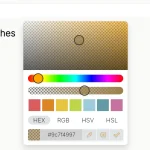 Modern Feature-Rich Color Picker in Vanilla JavaScript – jscolorpicker
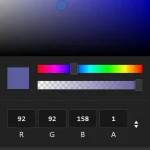 Mobile-friendly & Keyboard Accessible Color Picker – Alwan
 Accessible Color Picker – Coloris.js
 Customizable Color Picker For The Web – Grid Color Picker
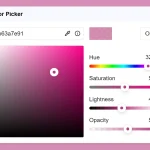 Lightweight & Fast Color Picker Web Component – color-dialog-box
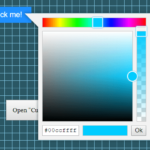 Vanilla JS Color Picker With Alpha Channel – vanilla-picker