


dndod is a dependency-free JavaScript library that helps you create flexible, customizable alert/confirm dialogs, notification popups, and modal windows.
How to use it:
Import the dndod library’s files into the document.
<link rel="stylesheet" href="dndod/dndod-popup.min.css">
<script src="dndod/dndod-popup.min.js"></script>
Create an alert dialog.
dndod.alert('Alert Popup', options);Create a confirm dialog.
dndod.confirm('Confirm Message', confirmCallback, options)Create a notification popup.
dndod.notice('Notification Message', options);Create a modal window with custom buttons.
dndod.popup({
  buttons: [
    {
        text: "Button 1",
        handler: function(e, popup) {
            // do something
        }
    },
    {
        text: "Button 2",
        handler: function(e, popup) {
            // do something
        }
    },
    {
        text: "Button 3",
        handler: function(e, popup) {
            // do something
        }
    }
  ]
})
All possible options with default values.
dndod.popup({
  // prefix css class
  "prefixClass": "dndod",
  // popup title
  "title": "",
  // popup message
  "msg": "",
  // text alignment
  "textAlign": "center",
  // from-top, from-bottom, none
  "animation": "from-top",
  // duration of animation
  "animationDuration": 250,
  // hide close button
  "disableCloseBtn": false,
  // hide outline
  "disableOutline": false,
  // enable HTML content
  "enableHTML": false,
  // events
  "events": {
      "create": null,
      "mount": null,
      "close": null,
      "unmount": null
  },
  // custom buttons
  "buttons": []
})
See Also:
 Create Dynamic Draggable Alert/Confirm Popups – webcimes-modal
 Customizable Alert/Confirm Modal Library – modal-alert.js
 Minimal Alert & Confirmation Modals in JavaScript – PopupJs.js
 Create Custom Stylish Dialogs with SnapDialog JavaScript Library
 Create iOS-Style Popups & Notifications With Popup JS Library
 Elegant Notification Popup JavaScript Library – Notiflix
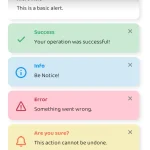 Simple & Stylish JavaScript Alert Notifications – SnapAlert.js
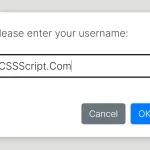 Async, Promise-based Alert/Confirm/Prompt Dialogs – Prompts.js