


Selectal.js is a JavaScript plugin to replace the regular select box that enables you to style & control dropdown lists in a simple way.
How to use it:
Load the stylesheet selectal.min.css for the default styling of the dropdown list.
<link rel="stylesheet" href="./dist/selectal.min.css" />
Import the main JavaScript file in the document.
<script src="./dist/selectal.min.js"></script>
Initialize the Selectal on the target select element. Done.
<select id="my-select">
  <option value="">Choose A Language</option>
  <option value="js">JavaScript</option>
  <option value="py">Python</option>
  <option value="rb">Ruby</option>
  <option value="go">Golang</option>
</select>
var mySelectal = new Selectal('#my-select');Toggle the dropdown list.
// toggle
mySelectal.toggleDropdown();
// open
mySelectal.openDropdown();
// close
mySelectal.closeDropdown();
Check if the dropdown list is opened.
mySelectal.isDropdownOpen();
Set & get the dropdown value.
// get
mySelectal.getValue();
// set option to Ruby
mySelectal.setValue('rb');
Add & remove event listeners.
// add
mySelectal.addEventListener(event, callback);
// remove
mySelectal.removeEventListener(eventName);
The example CSS to style the dropdown list in any way you like.
#my-select {
    color: rgb(145, 145, 145);
}
.selectal-btn {
    background-color: rgb(40, 40, 40);
}
.selectal-selected-item {
    background: rgb(40, 40, 40);
}
.selectal-dropdown {
    background: rgb(40, 40, 40);
}
.selectal-dropdown-option {
    background: rgb(40, 40, 40);
}
.selectal-btn {
    background: rgb(40, 40, 40);
}
See Also:
 Easy Customization Of HTML Select Boxes – nice-select2
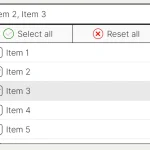 Feature-rich Custom Select JavaScript Library – SimpSelect
 Vanilla JS Custom Select for Bootstrap 5 – bootstrap-select
 Smooth Touch-enabled Selectable Library – viselect
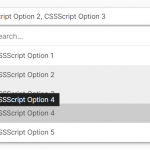 High Performance Select Box with Virtual Scroll (Vanilla JS) – Virtual Select
 Tagging & Searchable Dropdown with Multi-Select – Searchdown.js
 Bootstrap 5 Select Dropdown Enhancer – AvalynxSelect
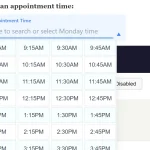 Fast Touch-Friendly Picker Library for JavaScript & React – Quickpick UI