


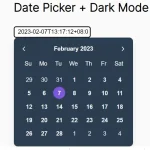
A pretty nice and easy-to-style date picker written in pure JS that allows the user to select a date from an inline calendar interface.
How to use it:
Load the niceDatePicker’s JavaScript and Stylesheet in your document when needed.
<link rel="stylesheet" href="nice-date-picker.css">
<script src="nice-date-picker.js"></script>
The basic html:
<div id="calendar-demo">
  <div id="calendar-demo-wrapper"></div>
  <span class="calendar-demo-msg"></span>
</div>
Create a new date picker instance and output the selected date using ‘onClickDate’ function as this:
new niceDatePicker({
    dom:document.getElementById('calendar-demo-wrapper'),
    onClickDate:function(date){
      document.querySelector('.calendar-demo-msg').innerHTML='Your selected '+date;
    }
});
Set the initial month & year.
new niceDatePicker({
    dom:document.getElementById('calendar-demo-wrapper'),
    onClickDate:function(date){
      document.querySelector('.calendar-demo-msg').innerHTML='Your selected '+date;
    },
    year:2017,
    month:5
});
Changelog:
09/26/2018
- Change CSS not to apply values to al links
See Also:
 Lightweight Accessible Datepicker Calendar Component – DateDreamer
 Cally Calendar Components for Date Pickers & Ranges
 Vanilla Calendar JS Library for Date Picking, Scheduling, and Timelines
 Modern Mobile-friendly JS Date Picker – PremiumCalendar.js
 Minimal Clean Inline Date Picker – Hello Week
 Modern Calendar Date Picker In Vanilla JavaScript
 Minimal Date Picker Calendar In Pure JS – pureJSCalendar
 Minimal Inline Calendar Date Picker In Vanilla JavaScript
well done