


A JavaScript/CSS library that creates animated checkboxes and radio buttons with custom check markers based on Font Awesome.
How to use it:
1. Load the necessary Font Awesome Iconic Font for custom markers.
<link href="/path/to/font-awesome.min.css" rel="stylesheet" />
2. Load the checkbox.css and checkbox.js in the document.
<link rel="stylesheet" href="src/checkbox.css" />
<script src="src/checkbox.js"></script>
3. Create custom checkboxes & radio buttons on the webpage.
<div class="checkbox">
  <label for="example_checkbox">
    <input type="checkbox" id="example_checkbox" name="example_checkbox" value="true">
    First unchecked example checkbox
  </label>
</div>
<div class="checkbox checkbox-checked">
  <label for="example_checkbox2">
    <input type="checkbox" id="example_checkbox2" name="example_checkbox" value="true" checked>
    Second checked example checkbox
  </label>
</div>
<div class="radio">
<label for="example_radio_1">
<input type="radio" id="example_radio_1" name="example_radio_1" value="true">
First unchecked example radio
</label>
</div>
<div class="radio radio-checked">
<label for="example_radio_2">
<input type="radio" id="example_radio_2" name="example_radio_1" value="true" checked>
Second checked example radio
</label>
</div>See Also:
- 10 Best Checkbox And Radio Input Replacement Libraries
- 10 Best Toggle Switch JavaScript And CSS Libraries
See Also:
 Custom Checkboxes And Radio Buttons For Bulma Framework
 Create Stunning Checkboxes And Radio Buttons With Magic-Input CSS Library
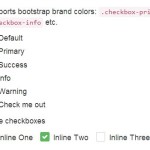 Pretty Checkbox & Radio Inputs with Bootstrap and awesome-bootstrap-checkbox.css
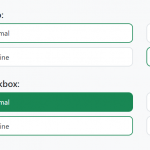 Convert Checkboxes & Radio Buttons Into Grouped Buttons – boxed-check.css
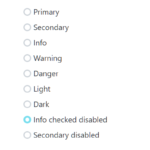 Custom Checkboxes, Radio Buttons, Switches In Pure CSS
 Custom Checkbox And Radio Inputs In Pure CSS
 Pretty Checkbox & Radio Button Replacement – Pretty.css
 Material Design Checkboxes & Radio Buttons In Pure CSS – icheck-material